
Sometimes, Instagram comments can get messy. It is because of spam, hard criticism, or simply careless behavior. Keeping a clean comment area is essential for influencers and companies to sustain a positive atmosphere and healthy engagement. Learning how to delete Instagram comments can solve these problems.
There are other times when you wish to clean up your own behavior by deleting comments that don’t align with your messaging or mood. Whatever it is, it’s essential to learn how to delete comments on Instagram.
Why Deleting Comments Matters?
People’s perceptions of your brand, personality, or company are highly influenced by comments on Instagram. A single offensive joke, spammy advertisement, or contentious debate can appear beneath your message and is accessible to everybody.
Learning how to delete Instagram comments gives you power over your account. It enables you to build a quiet, friendly atmosphere without making a huge deal out of it. Here’s a quick look at some of the benefits of deleting comments on Instagram:
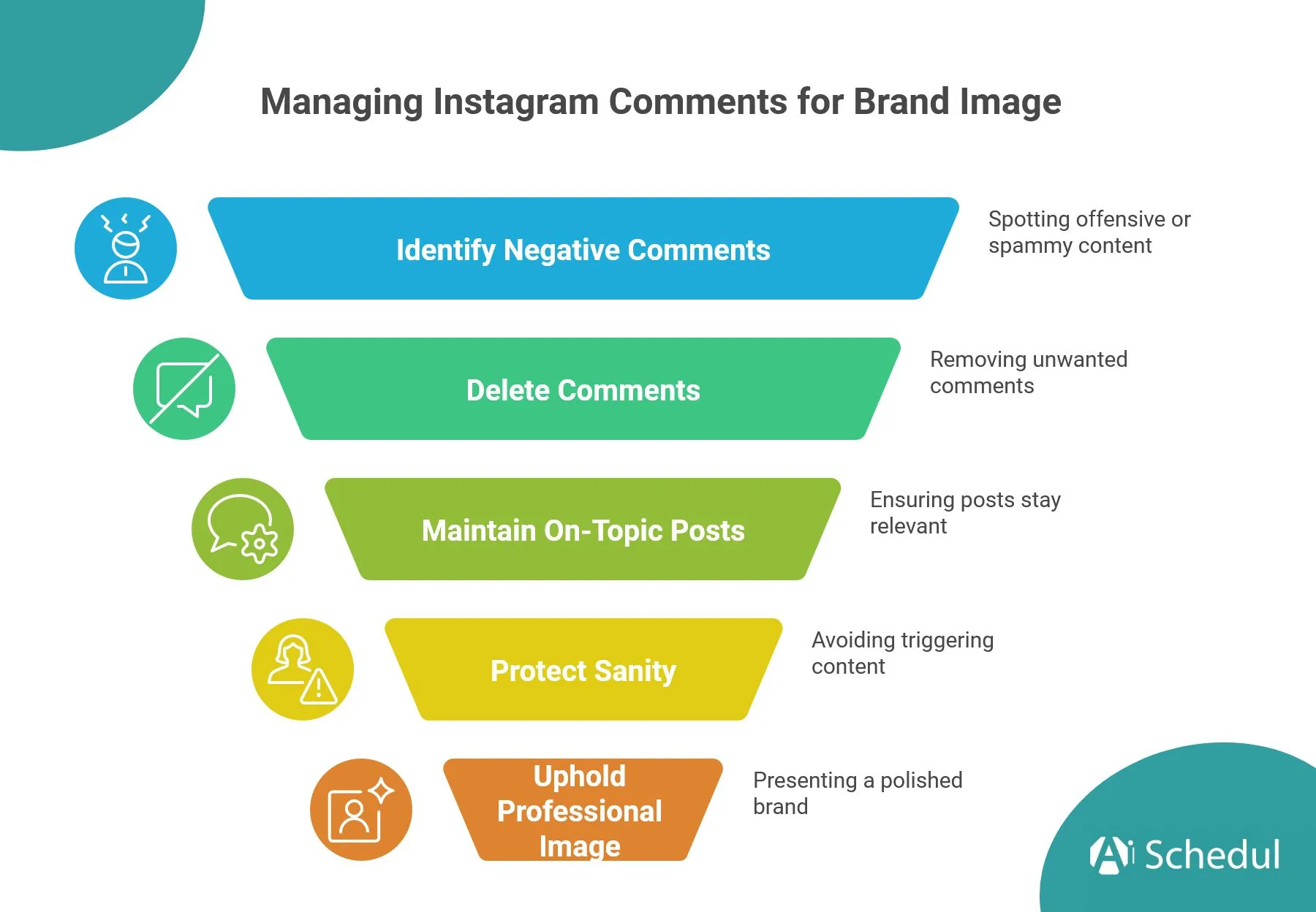
- Protect your sanity by removing rude or triggering comments.
- Keep your posts on‑topic instead of being flooded with spam or random promos.
- Maintain a professional image if you’re an influencer, creator, or business.
How to Delete Instagram Comments on Mobile?
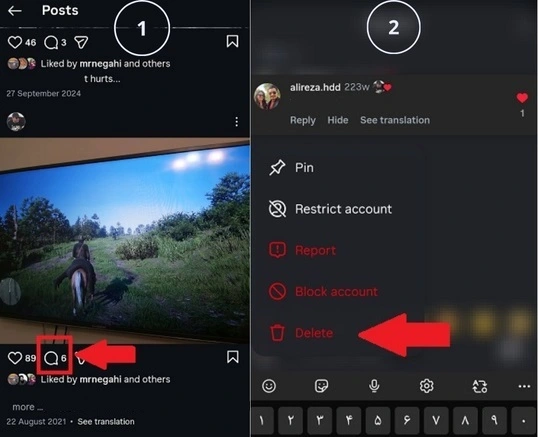
First, we will talk about Instagram on mobiles. The process is easy enough if you know where to tap. The basic procedures are the same whether the comment is yours or someone else’s. This is how to delete comments on Instagram mobile:
- Open Instagram and go to the post with the comment you want to delete.
- Tap the comment icon to open the full comment section.
- Press and hold the comment, or swipe left on it, depending on your app version.
- Tap the trash can or “Delete” option that appears.
If you know how to recover deleted posts on Instagram, you may wonder if the same applies to comments. It’s not. Once you confirm, the comment disappears instantly and cannot be recovered, so double‑check before deciding to delete it.
How to Delete Your Own Comment on Someone Else’s Post?
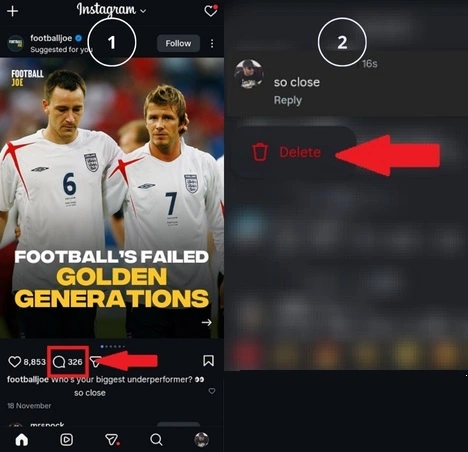
It is possible that you replied too fast, spotted a typo, or suddenly realized that the joke was too much. Knowing how to delete Instagram comments you left on other people’s posts keeps your digital reputation cleaner. Here is how to delete your own comment on another account’s post:
- Go back to the post where you left the comment.
- Find your comment in the thread.
- Press and hold it, then tap “Delete”.
The post owner will not get a notification that you deleted your comment; it simply vanishes from the conversation.
How to Delete Instagram Comments on Desktop?
Instagram on PC has come a long way. Nowadays, you can manage your Instagram easily and even go live on your Instagram PC in no time. And comments are no exception. You can easily delete Instagram comments without any trouble. The interface looks slightly different, but the principle is the same.
On desktop:
- Open Instagram in your browser and navigate to the post.
- Open the comments below the post.
- Hover over the comment you want to remove.
- Click the three‑dot menu next to it and choose “Delete.”
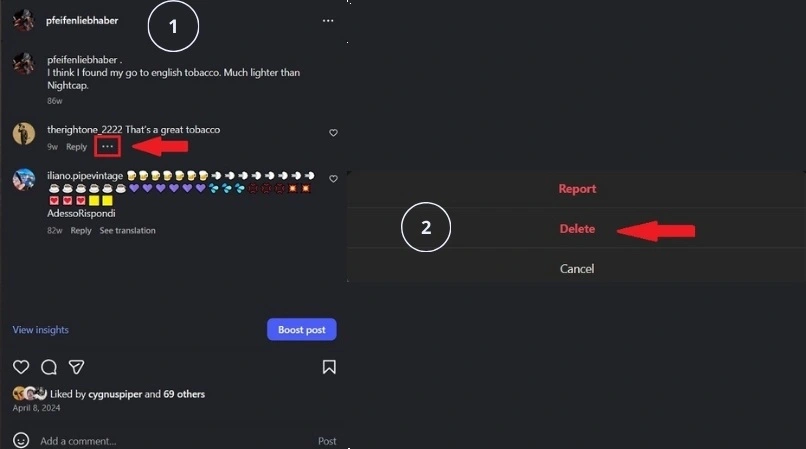
The comment disappears instantly for everyone, just like it does on mobile.
How to Choose to Delete the Comment or Report the Account?
Deleting a rude comment feels satisfying, but sometimes you should go one step further and report it. If a comment includes harassment, hate speech, threats, or persistent spam, reporting helps Instagram enforce its community guidelines and ban the account if needed.
You should report the comment when:
- The comment is abusive or threatening.
- It is a scam, an impersonation of other people, or dangerous misinformation.
- The same user repeatedly posts spammy or offensive replies.
Reporting sends the comment and account to Instagram for review. However, you still need to delete it from your post to remove it from public view while that happens.
Comment Controls on Instagram
Instagram gives you tools to set some rules, so you have fewer bad comments to delete in the first place. It includes several built‑in comment control settings designed to filter, limit, or hide problematic comments automatically. Here are some of these options:
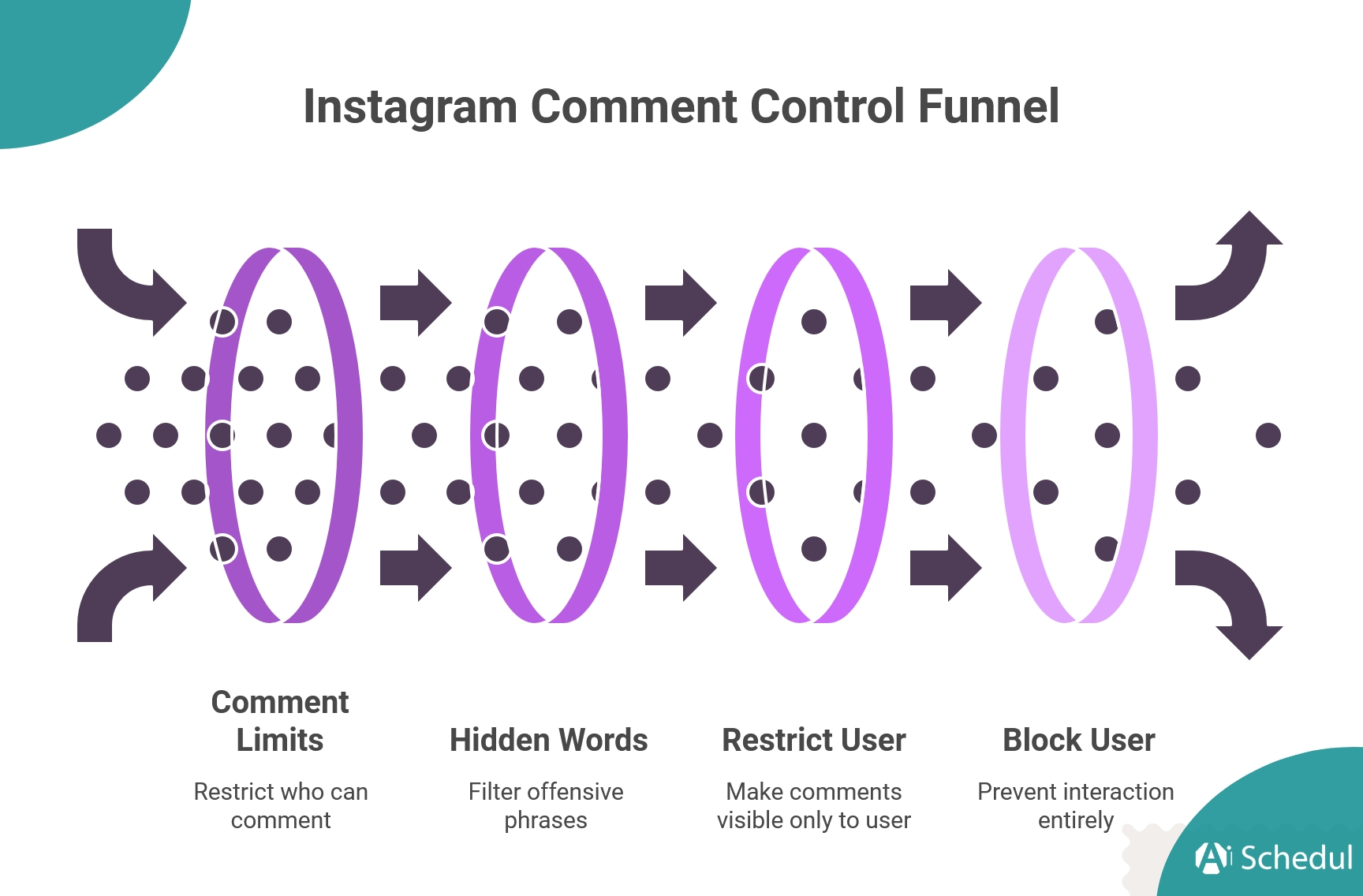
- Comment limits: Temporarily restrict who can comment on your posts.
- Hidden words: Automatically filter out offensive or spammy phrases or words.
- Restrict: Make a specific user’s comments visible only to them unless you approve them. If you are not completely aware of this option, see what happens if you restrict a user on Instagram.
- Block: Completely stop accounts from commenting or interacting.
These features will ease your job a lot, and your comment section will stay healthier with less effort.
Note: You may think of using the Mute option to solve this problem. But if you mute someone on Instagram, you can still receive their comments.
Does Anyone Know When You Delete Their Comments?
Anonymity can be important to many people, and there are methods to view Instagram anonymously. But in the comment section, you can be more relaxed. Instagram does not send a notification to the person whose comment you removed, and your followers are not notified either. The comment simply disappears from the post as if it never existed, for both your own comments and those left by others.
The only way someone might notice is if they actively return to the post looking for their comment and see it is gone. This is very rare because most people scroll fast, engage in the moment, and rarely double‑check old comments, which makes deleting comments a silent action.
Conclusion
You are changing how people see you each time you delete an unpleasant comment. Learning how to delete Instagram comments and using filters, restrictions, and reporting helps you develop a profile that seems matched with who you are.
Just delete the comments you find unwelcome and don’t worry about others’ opinions. It is your profile, and you have the full power there.
However, as a brand, you should first learn how to respond to Instagram comments, whether they are positive or negative. So, don’t just delete the comments if they are just negative opinions.
FAQs
1. Do Deleted Comments Still Appear in Notifications?
If someone saw the notification before you deleted the comment, they may still see the preview. But opening it will show the comment as removed.
2. Does Deleting Comments Affect Engagement?
No. Deleting a comment does not directly penalize your post in the algorithm. In fact, removing obvious spam, hateful replies, or off‑topic threads often encourages more genuine engagement.
3. Does Deleting a Comment Remove the User’s Likes on the Post?
No. Deleting a comment does not affect the person’s like on your post or their ability to view it. Therefore, your engagement will be untouched, and you can remove any comment if you want to.
4. Why Can’t I Delete an Instagram Comment?
This may happen if:
– The comment has already been removed.
– Your Instagram app needs updating.
– There is a temporary app or network glitch.
– Poor Internet connection.
Try restarting your app or updating it to resolve the issue.
 English
  Spanish